Product personalizer for Shopify Let shoppers design it before they buy it.
A live customiser on any product page. Shoppers add text, images and colours and preview exactly what they’ll get — and every order lands with a print-ready file. Turn on interactive 3D preview when you’re ready.

Works on Shopify & any store One widget. Every storefront.
Built to fit Shopify like a glove — and hosted for everywhere else. The same customiser drops in two ways, so it works wherever you sell.
Shopify
Native integrationBuilt for Shopify from the ground up — the Customise button, live preview and native cart all slot into your store perfectly, theme or headless.
Liquid theme
Recommended Install guide →Add the Kastomise Customiser block to your product template in the theme editor — no code. The Customise button appears on every product with a config, and can take the place of Add to Cart.
Headless (Hydrogen)
Install guide →Add one React component and a cart route to your Hydrogen storefront. Same behaviour, fully headless — no theme edits required.
Kastomise Hosted
Works anywhereNo theme edits or code. Send shoppers to a hosted config page and print from the design they create — so the customiser works with any storefront or marketplace, anywhere you list.
Design-code checkout
Setup guide →Shoppers paste the returned design code (KD-XXXXXXXX) into your order note. If it takes an order, it works.
Any store or marketplace
- WooCommerce
- Etsy
- Wix
- BigCommerce
- A plain checkout link
Product personalizer features From first spin to finished print.
Every plan gets the guided editor, live preview and print-ready files. Pro adds a 3D preview shoppers can recolour; Studio leads your gallery with a 3D teaser.
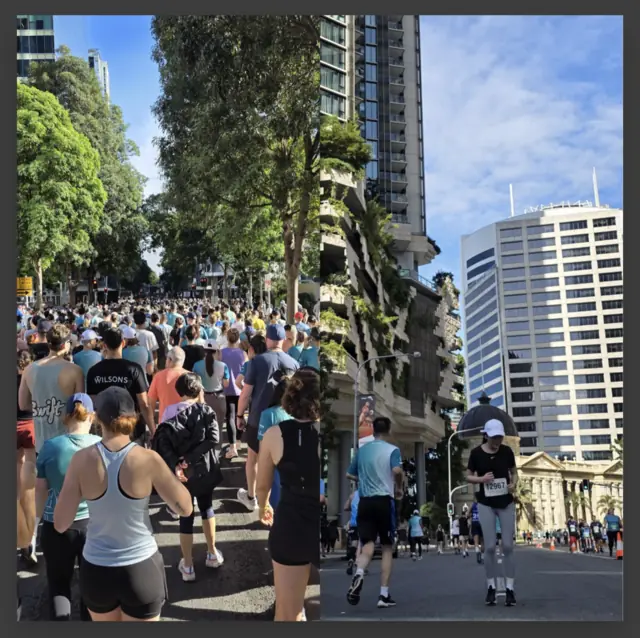
Every plan Shoppers upload photos, pick a layout and type their own text in a step-by-step editor on your product page.
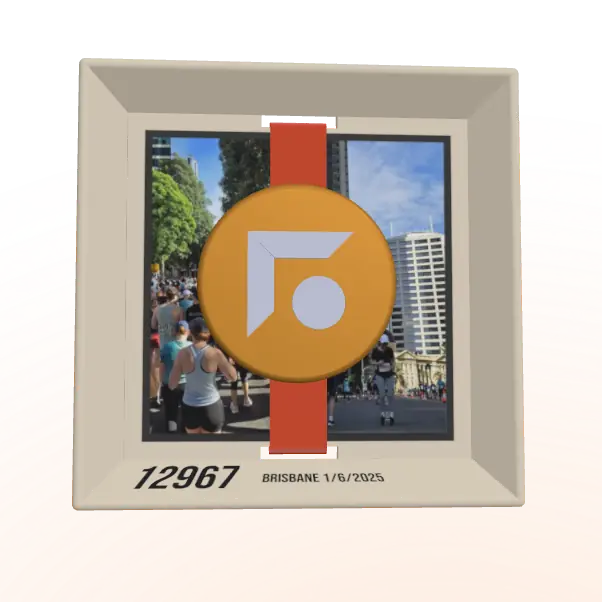
/ 10.5KM / 1:29:28

Select an area and choose a colour
No-code personalizer dashboard Configure once. Ship everywhere.
Define zones, fonts and options in one place, then link a config to any product. No code, no redeploys — updates go live instantly.
Auto-generated, immutable.
Width × Height in centimetres
The photo layout shoppers start on. It's always included: it has no add-on price.
Pricing & plans Start free. Scale by configs.
Every plan is priced by how many product configs you need. Change the count on any plan to see its price. Prices are per month: in AUD when you sign up here, or in USD through Shopify when you install from the Shopify App Store. No per-order fees.
Scroll the table sideways to compare →
Comparing options? See how Kastomise compares with Zepto, Customily and Zakeke, or all comparisons.
Product personalizer FAQ What merchants ask first.
Where it works, what shoppers can do, the files you print from, and what it costs. Anything else, email hello@kastomise.com.
What is Kastomise?
Kastomise is a product personalizer for online stores. Shoppers upload photos and add text on a live preview of your real print area, check the finished design before they buy, and every order comes with print-ready files. You set up each product once in a no-code dashboard.
Does Kastomise work with Shopify?
Yes. On a Liquid theme, add the Kastomise Customiser block to your product template in the theme editor, with no code. On a headless Hydrogen storefront, add one React component and a cart route. Personalised items go through Shopify’s own cart and checkout.
Can I use Kastomise without Shopify, on WooCommerce, Etsy, Wix or BigCommerce?
Yes, with the Kastomise Hosted page. Link shoppers to it from any store or marketplace listing. When they finish, they get a design code (like KD-7F3K9Q2M) to paste into your order form or order note, and you find the design and its print files in your dashboard. A store runs one way at a time: connected to Shopify, or hosted.
What can shoppers personalise?
Photos and text. They upload JPG, PNG or HEIC photos, pick a layout (one photo, two side by side, or a grid of four), and drag and zoom each photo into place. They type their own text and choose its colour and alignment, within the character limits you set. You choose the fonts, including your own uploaded ones. On Pro and Studio, shoppers can also pick a colour for each area of a 3D model of the product.
What file do I get, and will my printer take it?
A print-ready file for each print area of every order, in the format you choose for each product: a CMYK PDF/X-4 with a transparent background and the FOGRA39 or GRACoL 2013 colour profile embedded, a transparent sRGB PNG, an sRGB JPEG on white, a laser SVG or PDF, or a cutter SVG for vinyl that also downloads as a DXF. Laser and cutter files are at true size in millimetres, with text as outlined shapes. Any file can be mirrored, and the PDF, PNG and JPEG can have bleed. The PDF can also have crop marks, plus a cut line and white ink in spot colours, and a PNG can be an engraving file, with text in solid black and photos in greyscale. Images are made at the resolution you set (300 PPI by default, anywhere from 72 to 600). These are standard file types, but printers’ software differs, so run a test file through yours before you take orders. Download one file, a zip per item, or a zip of the whole order from the Orders page in your dashboard. There’s nothing to resize or re-place.
How much does Kastomise cost?
Kastomise is free for one product config. Paid plans are priced by how many configs you need: Core from A$69 a month (US$50 through Shopify), Pro with 3D from A$179 a month (US$127 through Shopify), and Studio with the 3D teaser from A$319 a month (US$223 through Shopify). You pay in AUD by card when you sign up on kastomise.com, or in USD through Shopify when you install from the Shopify App Store. There are no per-order fees.
Give your shoppers the pen.
Launch your first customisable product today. One config, no credit card, no time limit.